Built on the SurgeU 6-Step Surge Strategy

Trade smarter.
Execute automatically.

KingdomEdge Algo is a suite of proprietary TradingView indicators that encode the SurgeU 6-Step Surge Strategy into a fully automated, closed-source system — from signal to execution.

5
Indicators
61.3%
Win Rate
2.75
Profit Factor
+47.1R
Total Return

SETS Trade KingdomEdge Algo, Default preset with Zone Proximity Filter, SOXL 1-hour bars, 2024–2026 (62 trades, 6.3R max drawdown). See full methodology & all presets →

LIVE
BTC/USDT  ·  1H
Trend AnalysisCurve Channel AnalysisTrade Engine Supply & Demand ZonesMulti-Timeframe Signals ATR Risk ManagementWebhook Automation Automated ExecutionSurgeU Surge StrategyPine Script v6 Trend AnalysisCurve Channel AnalysisTrade Engine Supply & Demand ZonesMulti-Timeframe Signals ATR Risk ManagementWebhook Automation Automated ExecutionSurgeU Surge StrategyPine Script v6
What is KingdomEdge Algo

Strategy encoded.
Emotion removed.

Manual trading fails not because the strategy is wrong — but because humans are inconsistent. KingdomEdge Algo encodes the complete SurgeU 6-Step Surge Strategy into a suite of interlocking indicators that work together as a single automated pipeline.

🔒

Closed-Source & Proprietary

Published as TradingView Protected Scripts. Users get chart access — the source code is never exposed.

🎯

Built on SurgeU Parameters

Every indicator maps directly to the SurgeU 6-Step Surge Strategy — Curve, Trend, Zone, Score, S.E.T.S., Place Order.

Automated End-to-End

Signals fire alerts with full trade details. Webhooks route to Automated Execution for fully automated order placement.

🛡️

Risk-First Design

ATR-based dynamic stop-loss, three take-profit targets, and structure-based SL logic built into every signal.

The Five Indicators

A complete system.
Five interlocking tools.

Each indicator handles a distinct layer of the SurgeU 6-Step Surge Strategy — forming a sequential decision pipeline from market curve to multi-symbol screening to automated execution.

Curve Analysis KingdomEdge Algo
1
Step One
Curve Analysis KingdomEdge Algo
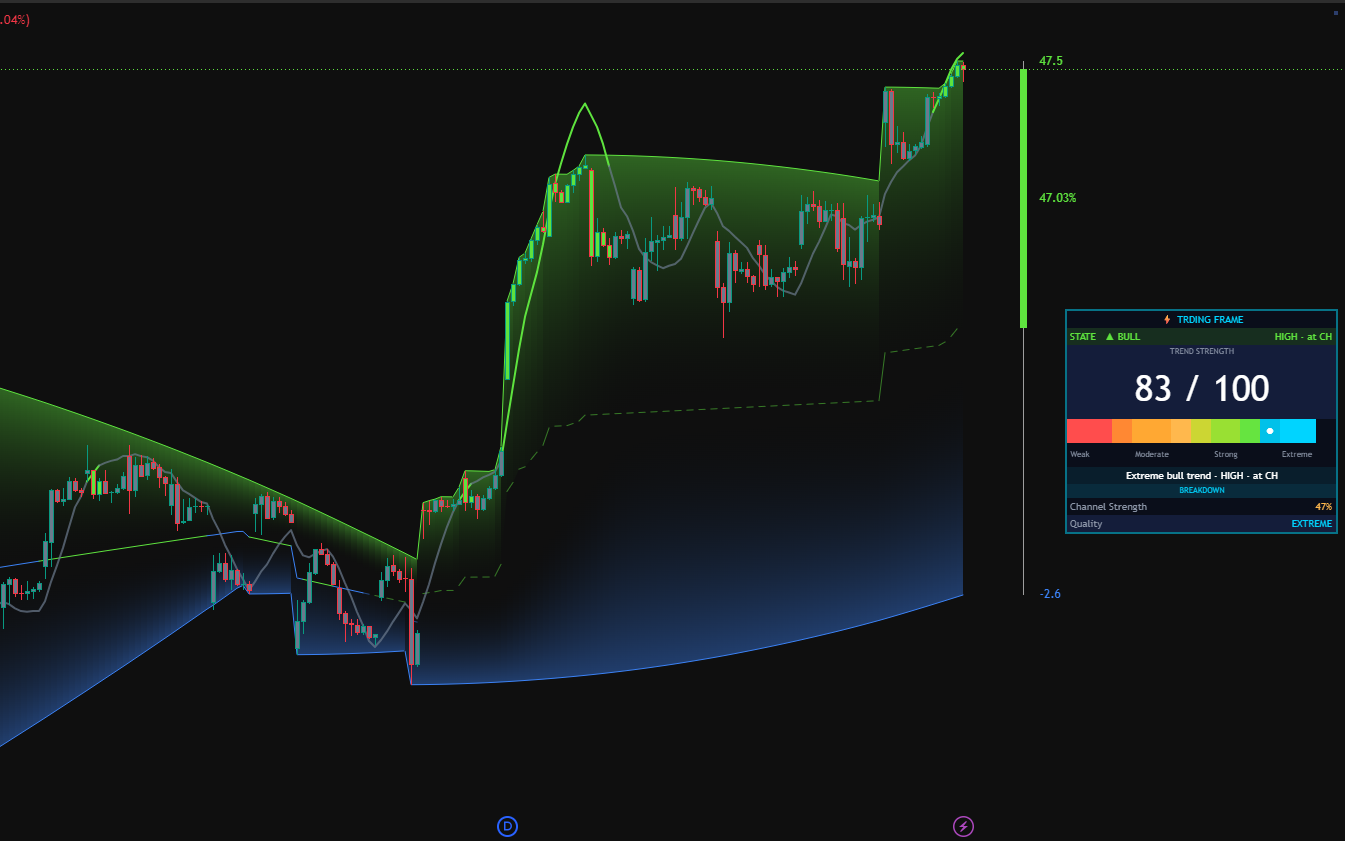
Adaptive Price Channels

Where traditional Donchian Channels draw rigid lines, Curve Analysis wraps channel walls around price with ATR-driven curvature — expanding in volatile periods, compressing in consolidation. Price location within the channel defines the trade bias.

  • ATR-scaled channel width that breathes with market volatility
  • Curved upper and lower bands tracking closing high/low extremes dynamically
  • Central trendline as the average midpoint — a real-time center of gravity
  • Channel strength gauge based on price position relative to total range
Output: Dynamic support/resistance with volatility-adjusted channel strength
Trend KingdomEdge Algo
2
Step Two
Trend KingdomEdge Algo
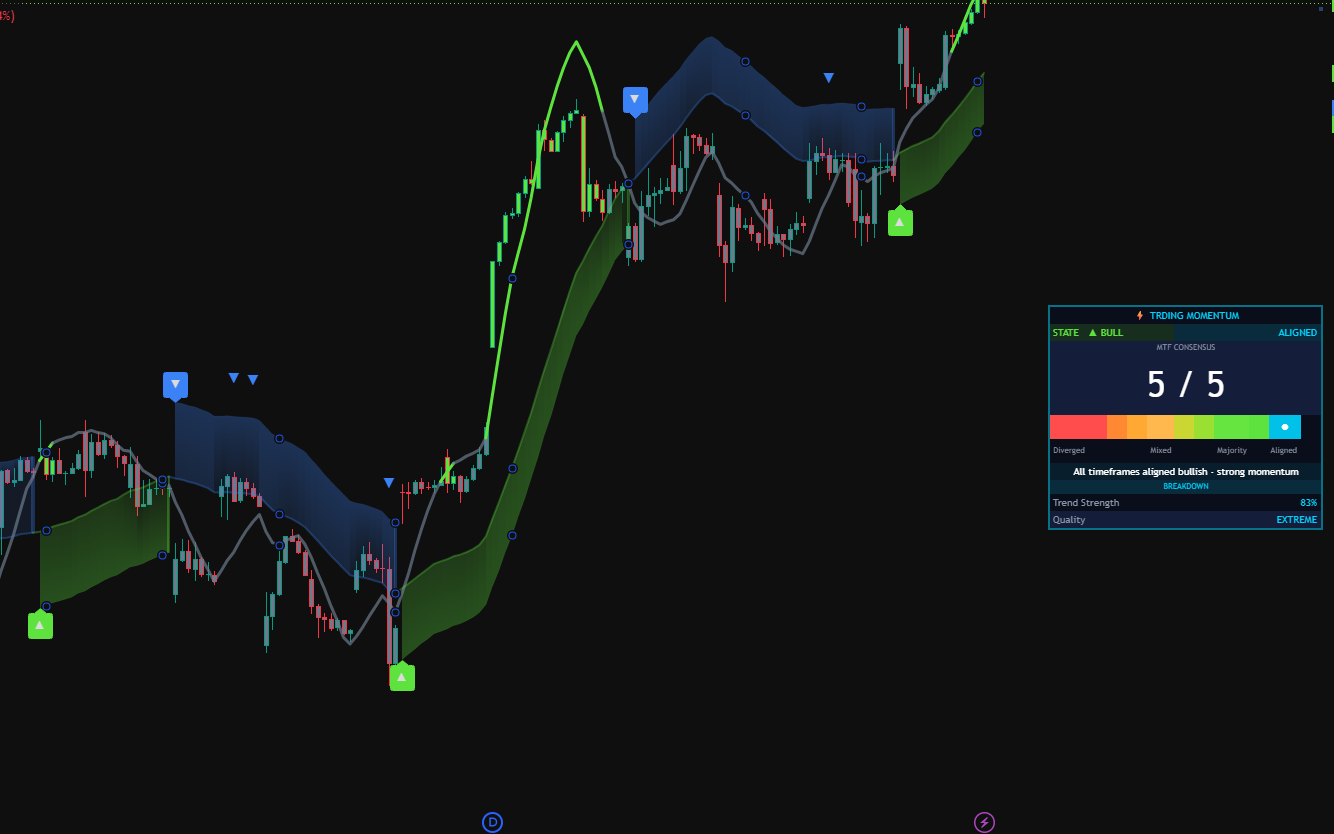
Trend Direction & Strength

The foundation of every trade. Determines macro direction using five selectable methods and scores trend strength via R² coefficient. A Zero-Lag EMA layer validates bias across multiple timeframes before any signal is considered.

  • Five trend methods: Linear Regression, MA Crossover, Momentum, High/Low, ADX
  • R² strength scoring 0–100 with WEAK / MODERATE / STRONG / EXTREME labels
  • Multi-timeframe panel showing 5-min through Daily ZL signal bias
  • Strong Buy and Strong Sell labels fire only when strength exceeds 50%
Output: Confirmed Bullish / Bearish / Neutral with strength score
Zone KingdomEdge Algo
3
Step Three
Zone KingdomEdge Algo
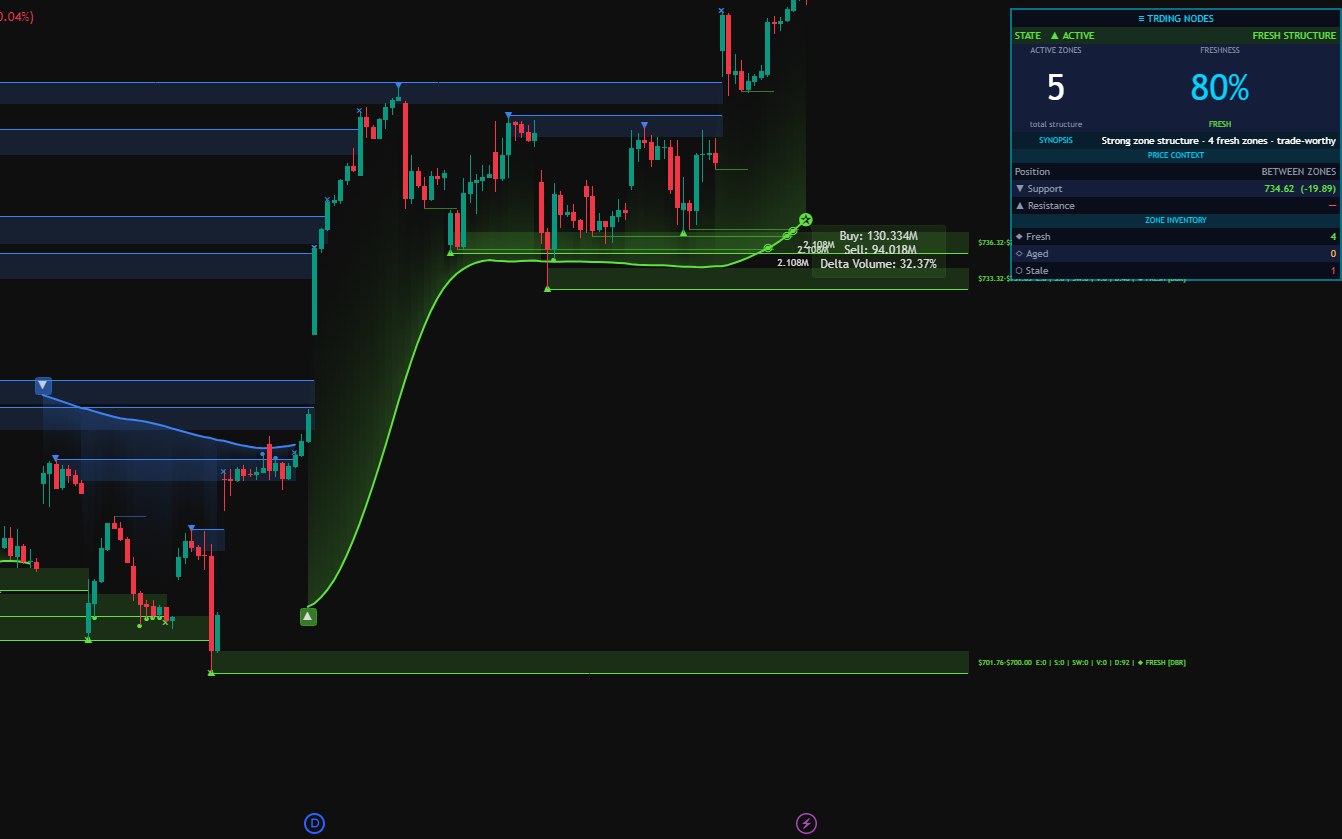
Supply, Demand & Institutional Volume

Institutional traders leave footprints in supply and demand zones. Zone KingdomEdge Algo identifies where large buyers and sellers previously committed capital — areas the market tends to revisit, react, and reverse.

  • Active supply and demand zones with 91.1% mitigation rate across 482 zones
  • Delta volume analysis: Buy vs. Sell pressure with imbalance detection
  • S&R statistics panel: sweeps, average duration, and total zone data
  • VIDYA trend line showing directional bias from institutional flow
Output: Institutional supply/demand zones with volume confirmation
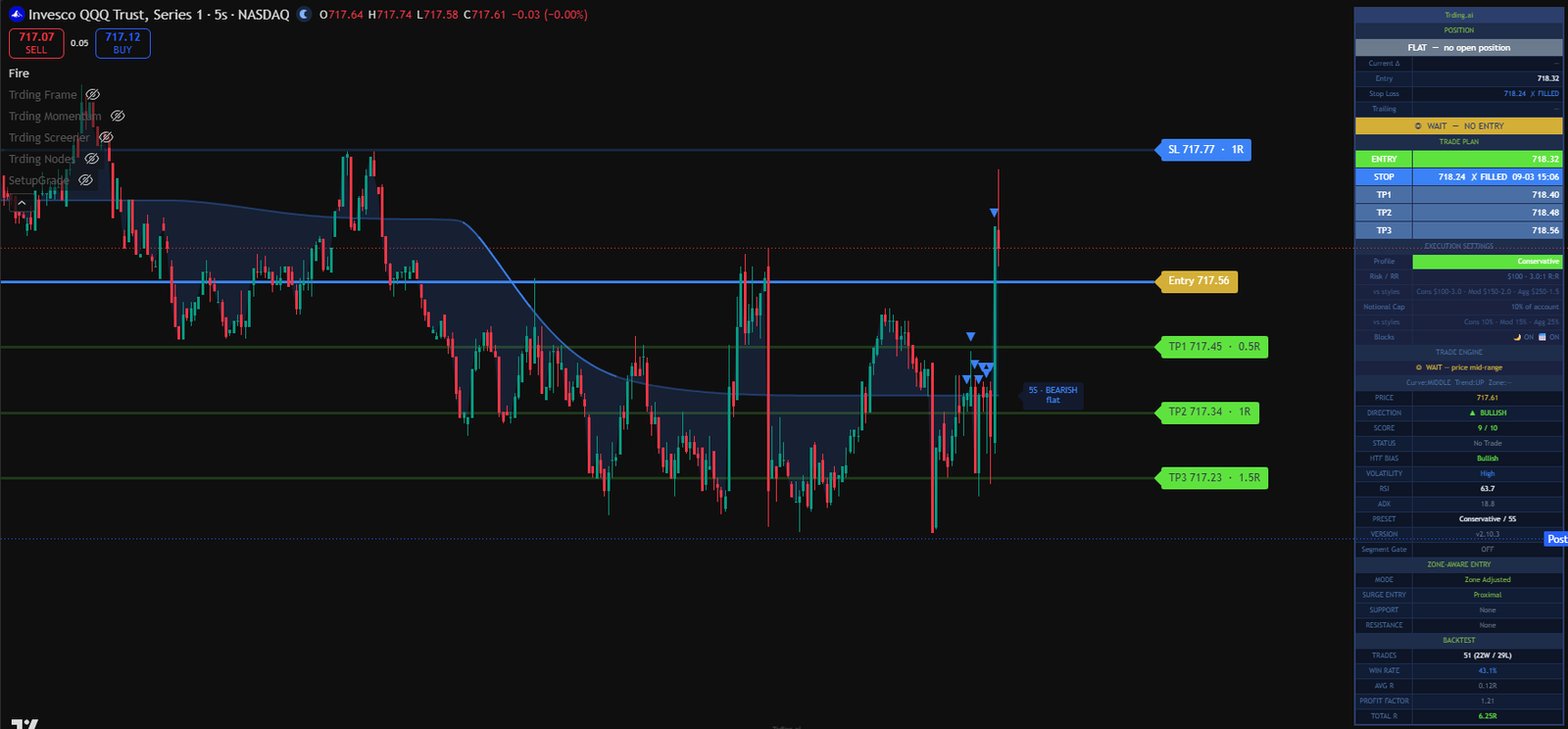
SETS Trade KingdomEdge Algo
4
Step Four
SETS Trade KingdomEdge Algo
Trade Engine, Risk Management & Automation

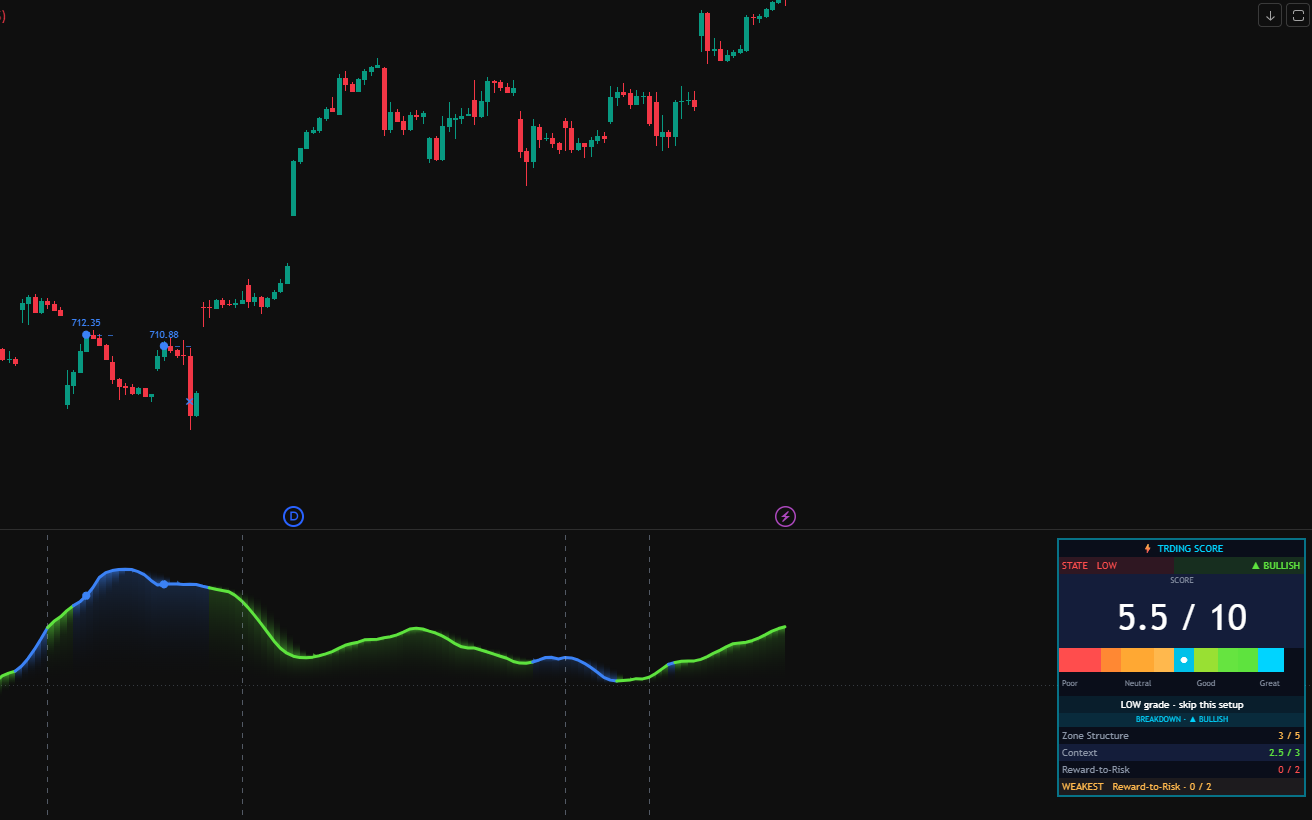
The execution layer. A 0-10 Odds Enhancer scorecard scores every potential signal across Strength, Time, Freshness, Trend, Curve, and Profit Zone. Confirmed signals are graded HIGH / MED / LOW — only high-confluence trades reach your exchange.

  • 0-10 Odds Enhancer scoring — signals only fire when threshold is met
  • Auto-preset selects optimal parameters per timeframe (Scalping to Swing)
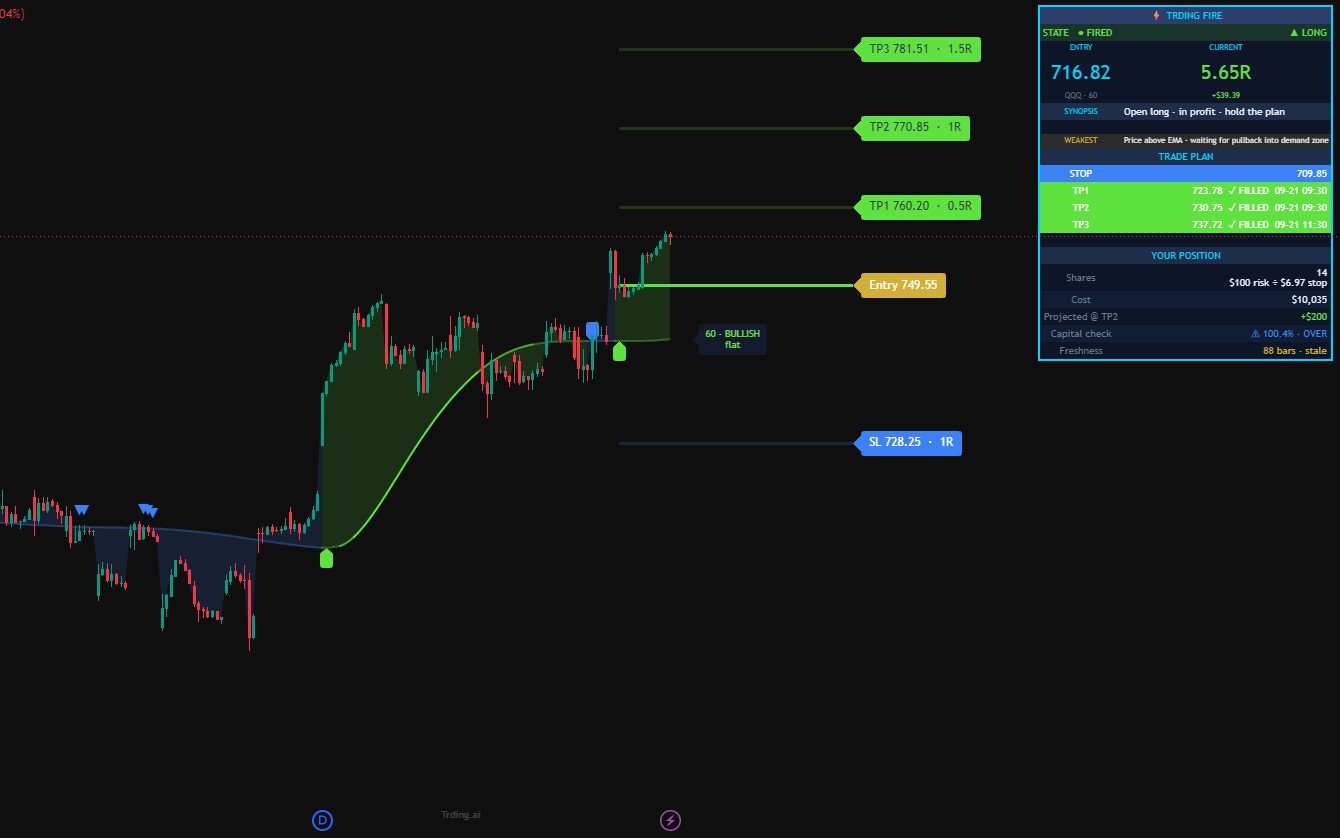
  • Supertrend + WMA/EMA targets with TP1, TP2, TP3 plotted on chart
  • Built-in backtest tracker: Win Rate, Avg R, Profit Factor, Total R
  • Webhook JSON payload for fully automated Automated Execution execution
Output: Entry + SL + TP1/TP2/TP3 with automated alert and webhook
KE Screener KingdomEdge Algo
5
Step Five
KE Screener KingdomEdge Algo
Multi-Symbol Scanner

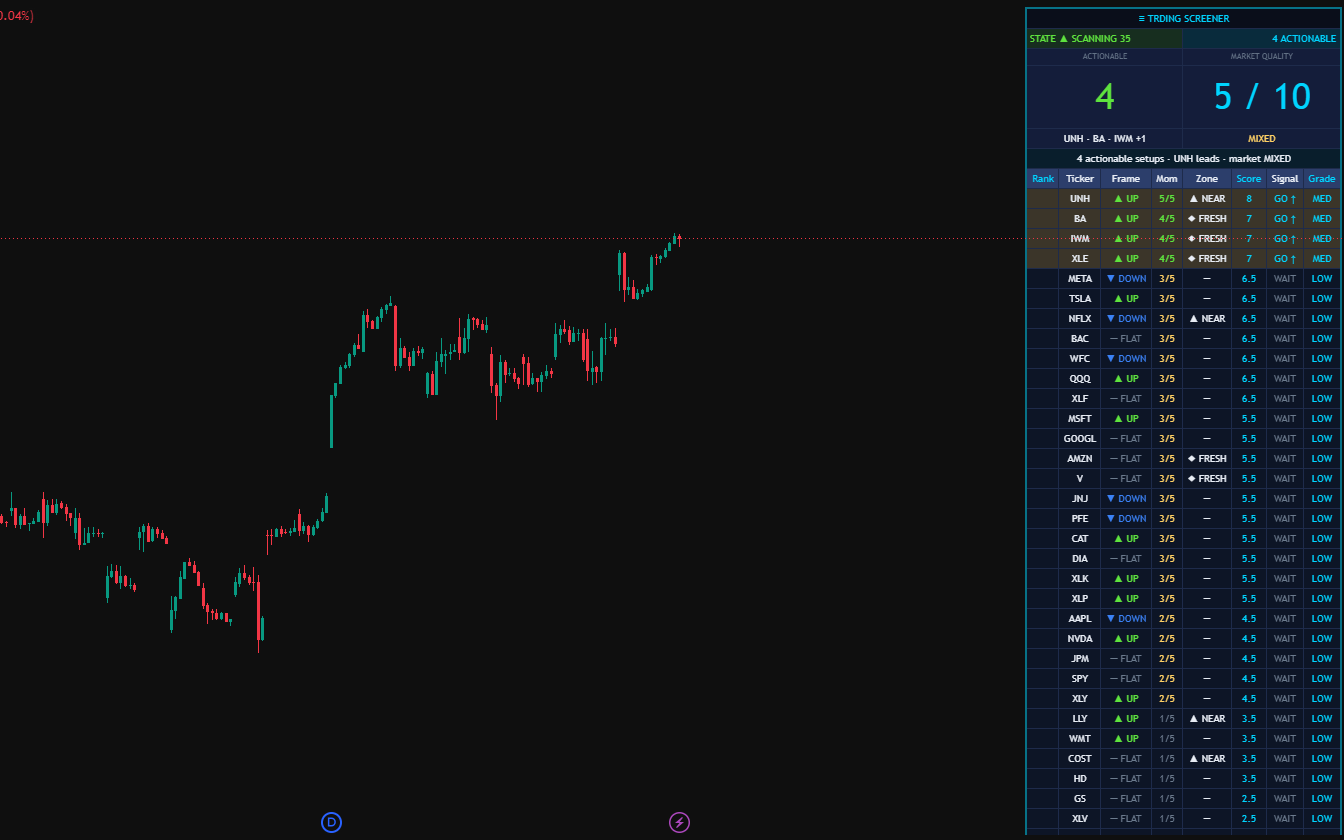
The daily filter. KE Screener applies the full KingdomEdge methodology across your entire watchlist in real time — Curve position, Trend bias, Zone proximity, and Surge Score for every ticker. No more scanning charts hoping to find setups; the Screener surfaces only HIGH and MED grade candidates worth your attention before the open.

  • Scans 20 tickers (Standard) or 35 tickers (Pro) on every bar close
  • Color-coded HIGH / MED / LOW grading per ticker — at-a-glance focus list
  • Same 0-10 Odds Enhancer scoring as SETS Trade — no methodology drift
  • Works on any timeframe from 1-minute to daily
  • Ctrl+K workflow: tap a ticker name to load it instantly on your chart
Output: A live, pre-graded watchlist — your 3 setups in 30 seconds, not 10,000 tickers in an hour
From Signal to Broker

Six steps. No guesswork.

Every trade follows the same SurgeU 6-Step Surge Strategy — from market scan to live bracket order. Each step confirms the next; nothing fires without multi-layer agreement. Below, the methodology. Then, the execution.

01
Curve
Curve High / Curve Low classifier sets market cycle position before any setup is considered.
02
Trend
Linear Regression / MA / ADX determines macro direction. Zero-Lag EMA validates across timeframes.
03
Zone
Surge Zone (wick-to-wick) plus RBD/DBD/DBR/RBR classifier and freshness counter confirm a valid Profit Zone.
04
Score Trade
0-10 Odds Enhancer scorecard grades the setup HIGH / MED / LOW. Only HIGH and MED reach execution.
05
S.E.T.S.
Strength · Entry · Time · Strategy: full plan with entry type, SL, and TP1/2/3 plotted on chart.
06
Place Order
Webhook JSON fires from TradingView. KE Cloud Bot routes the order for fully automated placement.
How Step 6 Actually Works

Set the system. Step away. Sleep well.

When a SETS Trade signal fires, the cloud bot translates it into a full OCA-linked bracket order on your broker account — entry, stop-loss, and three scaling take-profits, submitted atomically. The bracket lives on the broker, not the bot. Below: the four stages and the math behind every level.

STAGE 1
TradingView
Your chart, your rules
SETS Trade runs on your chart with your preset, timeframe, and risk inputs. Nothing fires until your settings confirm a signal.
YOUR CONFIDENCE
Nothing happens without your indicator settings.
ƒ
STAGE 2
Pine Calculates
SL + TP1, TP2, TP3
Pine snapshots ATR and zone context, then computes the exact SL and three TPs. All four levels print on the chart before the bot acts.
YOUR CONFIDENCE
The math is transparent. Every TP is a multiple of SL.
STAGE 3
Cloud Bot
Routes to your account
Pine fires a JSON webhook to the cloud bot. The bot validates the secret, opens YOUR broker connection, and confirms in Discord.
YOUR CONFIDENCE
Your trade lives on YOUR account. No commingling.
STAGE 4
Bracket Order
Live · OCA-protected
Entry + Stop-Loss + 3 Take-Profit legs submitted atomically as one OCA group. The bracket lives on the broker — not the bot.
YOUR CONFIDENCE
Close your laptop. The broker handles everything.
Stop-Loss Calculation
Two modes — the SL is the contract
Zone-anchoredJust outside the S/D zone
ATR-basedEntry ± (ATR × 1.5) · default
Min floor0.3 ATR — widens if too tight
Take-Profit Calculation
Pure R:R multiples off the SL distance
TP1entry ± (risk × 1.0) = 1R
TP2entry ± (risk × 2.0) = 2R
TP3entry ± (risk × 3.0) = 3R · runner
OCA Protection
One Cancels All · brokerage-level safety
TP fills→ SL qty auto-reduced
SL hits→ all remaining TPs cancel
All filled→ SL auto-cancels
< 2 sec
Signal → live order
99.9%
Cloud bot uptime
Paper or live
Same workflow, your choice
Full kill-switch
One click pauses everything

Available in Ultimate tier. Paper-trading first is recommended; switch to live when you're ready. See Ultimate →

Founder Credentials

Built by an engineer.
Validated by experience.

KingdomEdge Algo
Engineered by a 20+ year enterprise architect

Built on two decades of enterprise infrastructure work — cloud architecture, VMware engineering, and automation at scale for Fortune-class enterprises and federal agencies. The same discipline that runs mission-critical production systems for global businesses now powers your algo.

20+ Years Enterprise ITCloud ArchitectureVMware EngineeringAutomation at ScaleMBA

Why This Matters for Trading

Building enterprise automation at scale — managing thousands of VM migrations, architecting multi-datacenter cloud infrastructures, writing production-grade systems for Fortune-class firms — requires the same discipline as building a reliable algo: rigorous logic, edge-case handling, and zero tolerance for failure.

Access & Licensing

Choose your edge.

All plans deliver access to KingdomEdge Algo indicators as TradingView Protected Scripts. Your source code is never exposed.

Core
$49
per month
  • All 4 trade indicators on TradingView
  • Trend KingdomEdge Algo
  • Curve Analysis KingdomEdge Algo
  • Zone KingdomEdge Algo
  • SETS Trade KingdomEdge Algo
  • Manual trade execution
Get Core Access
Pro
$99
per month
  • Everything in Core
  • KE Screener — 20 tickers (daily watchlist scan, not a trade signal)
  • HIGH / MED / LOW grading + 0-10 Surge Score
  • Sortable filters & GO-only mode
  • Discord support channel
  • Priority email support
Get Pro Access
Ultimate
$249
per month
  • Everything in Pro
  • KE Screener — 35 tickers (broader coverage)
  • Full automation (Self-Hosted by default — you own your Railway + broker keys)
  • Step-by-step Library walkthrough + Self-Hosted Bot Template
  • Welcome Hub with 5-phase onboarding journey
  • Priority Discord support (#ultimate-help channel)
Get Ultimate Access
Mentor Track
Concierge
$499
per month · 10 active members
  • Everything in Ultimate
  • KE-hosted infrastructure (we manage Railway)
  • 60-min white-glove setup
  • Direct Slack access
  • Monthly Discord automation call
  • Priority issue queue

A small mentor-style track for traders who want full implementation support. Capped at 10 active members. Open to Ultimate subscribers 60+ days in, referrals from current members, and qualified applicants.

Apply for Mentor Track
Early Access

Ready to trade with an edge?

KingdomEdge Algo is currently in early access. Request an invitation and we'll walk you through setup on your TradingView account.


    No spam. Direct contact only: support@kingdomedgealgo.com

    ×